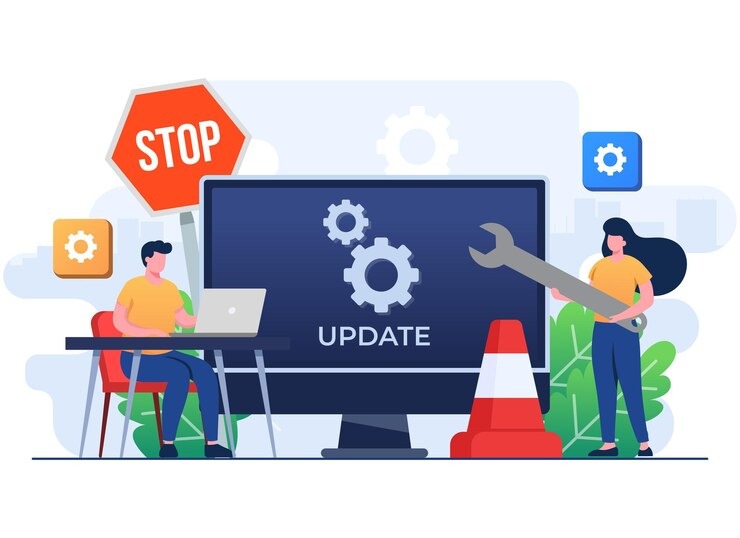
Your website needs more than occasional software updates to remain secure, fast, and effective. As your business grows, your site can face cybersecurity threats, outdated technology, broken functionality, slower page speeds, and changing user expectations. Advanced website maintenance strategies help you prevent these problems before they affect your visitors or business operations.
A strong maintenance strategy is proactive rather than reactive. Instead of waiting for a website error, security breach, or customer complaint, you regularly monitor, test, optimize, and improve critical areas. This approach helps you protect your digital investment while creating a better experience for potential customers.
Build a Proactive Website Monitoring System
Advanced maintenance begins with continuous monitoring. You should know when your website goes offline, slows down, develops errors, or experiences unusual activity.
Monitor important areas such as:
- Website uptime and availability
- Page-loading speed
- Server performance
- Error logs
- Contact forms
- SSL certificate status
- Broken links
- Database activity
The goal is not simply to receive alerts. You should identify the cause of recurring problems and address them permanently. For example, frequent downtime may indicate inadequate hosting resources, while repeated errors after updates could reveal compatibility problems.
Investing in comprehensive Website Maintenance Packages for proactive website monitoring and long-term performance can help you establish a consistent process instead of handling technical problems only when they become urgent.
Use a Safer Update and Testing Process
Keeping your website software updated is essential, but updating everything without testing can create unexpected problems. An advanced strategy includes a controlled update process.
Before making significant changes, create a complete backup and test updates in a staging environment whenever possible. Check whether your plugins, themes, custom features, and integrations work correctly together.
After updates are completed, test your most important functions. You should check forms, login areas, shopping carts, payment systems, navigation, and mobile pages.
It is also helpful to maintain a change log. Recording what was updated and when makes troubleshooting much easier if a problem appears later. This organized approach reduces unnecessary downtime and gives you greater control over your website.
A reliable Monthly Website Maintenance Package for scheduled updates, testing, and ongoing technical support can make these essential tasks more manageable throughout the year.
Strengthen Website Security at Every Level
Basic security tools are not enough for a growing business website. Cybersecurity threats continue to evolve, so your protection strategy should also evolve.
You should regularly scan for malware, monitor suspicious login attempts, review user accounts, update vulnerable software, and remove unused plugins and themes. Every inactive component can potentially create an unnecessary security risk.
Strong password policies and multi-factor authentication can provide additional protection for administrator accounts. You should also limit user access based on responsibilities. Not every team member needs full administrative control.
Regular security reviews help you discover vulnerabilities before attackers exploit them. By treating security as an ongoing maintenance responsibility, you can reduce the risk of business disruption and protect valuable customer information.
Optimize Website Performance for Real Users
Your website may perform differently for visitors depending on their device, browser, location, and internet connection. Advanced maintenance focuses on actual user experience rather than relying only on technical performance scores.
Review important performance factors, including page speed, server response time, image sizes, caching, unnecessary code, and mobile usability. Large media files and outdated scripts can gradually make your website slower.
Prioritize the pages that contribute most directly to your business goals. These may include service pages, product pages, landing pages, appointment pages, and contact forms.
Professional Website Maintenance Services for improving website speed, security, usability, and technical reliability can help you address performance issues before they begin affecting visitor engagement and conversions.
Create a Reliable Backup and Recovery Plan
Creating backups is important, but an advanced strategy goes further. You should know whether your backups can actually restore your website successfully.
Maintain multiple backup versions and store copies separately from your main hosting environment. This provides additional protection against server failures, accidental deletions, unsuccessful updates, and security incidents.
You should be able to answer three important questions:
- How frequently is your website backed up?
- Where are the backup files securely stored?
- How quickly can your website be restored?
Test your recovery process periodically. During a serious technical issue, discovering that your backup is incomplete or difficult to restore can create significant delays.
A tested recovery plan helps you respond faster and reduces the potential impact of unexpected website problems.
Audit Your Content and SEO Regularly
Website maintenance is not limited to technical tasks. Your content can also become outdated and less useful over time.
Review important pages for outdated information, broken internal links, duplicate content, declining traffic, old statistics, and weak calls to action. Update valuable pages when necessary instead of publishing new content without a clear purpose.
You should also evaluate whether visitors can easily find the information they need. As your website expands, navigation and internal linking can become complicated.
A regular content audit helps you identify pages that need improvement. You can refresh outdated information, answer new customer questions, and strengthen important pages that already have the potential to attract qualified traffic.
Use Website Data to Guide Maintenance Decisions
Advanced maintenance should be based on data rather than assumptions. Monitor website performance and look for patterns that can affect your business.
For example, if visitors frequently leave a particular page, investigate its loading speed, content, mobile experience, and navigation. If a contact form receives traffic but generates few submissions, examine whether the form is too complicated or has technical problems.
Tracking recurring issues helps you prioritize maintenance tasks that have the greatest business impact. You can then focus your time and resources on improvements that support better usability, engagement, and conversions.
For businesses seeking a more structured approach to ongoing website management, JDM Web Technologies can help align technical maintenance with your broader digital goals.
Document Your Website Maintenance Procedures
Documentation is an often-overlooked maintenance strategy. Clear records make it easier to manage your website and respond to problems quickly.
Keep documentation for your technology stack, hosting details, software inventory, update schedule, backup procedures, security processes, and emergency contacts.
You should also record significant website changes and previous technical incidents. This information can help identify recurring problems and prevent your team from repeating unsuccessful solutions.
Well-documented procedures become especially valuable when employees, developers, or service providers change.
Treat Website Maintenance as a Long-Term Growth Investment
The best website maintenance strategy is to view maintenance as an investment in your business rather than simply a technical expense. A secure, fast, functional, and regularly updated website can build trust and support stronger customer experiences.
When you combine proactive monitoring, safe updates, security protection, tested backups, performance optimization, content audits, and data-driven improvements, you create a stronger digital foundation.
With the right ongoing strategy, JDM Web Technologies can support your efforts to keep your website reliable and prepared for changing business and technology needs.
If you are ready to develop a more effective approach to website care, Contact Us to discuss a customized website maintenance strategy for your business needs.
FAQs
1. What makes website maintenance advanced?
Advanced website maintenance is proactive and includes continuous monitoring, security reviews, controlled updates, performance optimization, tested backups, content audits, and data-based improvements rather than occasional technical fixes.
2. How often should you update your website?
Update frequency depends on your website and technology. Security updates should be addressed promptly, while other maintenance tasks should follow a consistent schedule based on your site’s complexity and business requirements.
3. Why should website updates be tested first?
Testing updates helps you identify compatibility issues before changes affect your live website. This reduces the risk of broken features, downtime, poor user experiences, and unexpected technical problems.
4. Can website maintenance help improve SEO?
Yes. Regular maintenance can improve site speed, fix broken links, update outdated content, strengthen mobile usability, and resolve technical issues that may affect search engine visibility.
5. Why is a backup recovery test important?
A recovery test confirms that your backup files work properly. Without testing, you may discover during an emergency that your website cannot be restored quickly or completely.